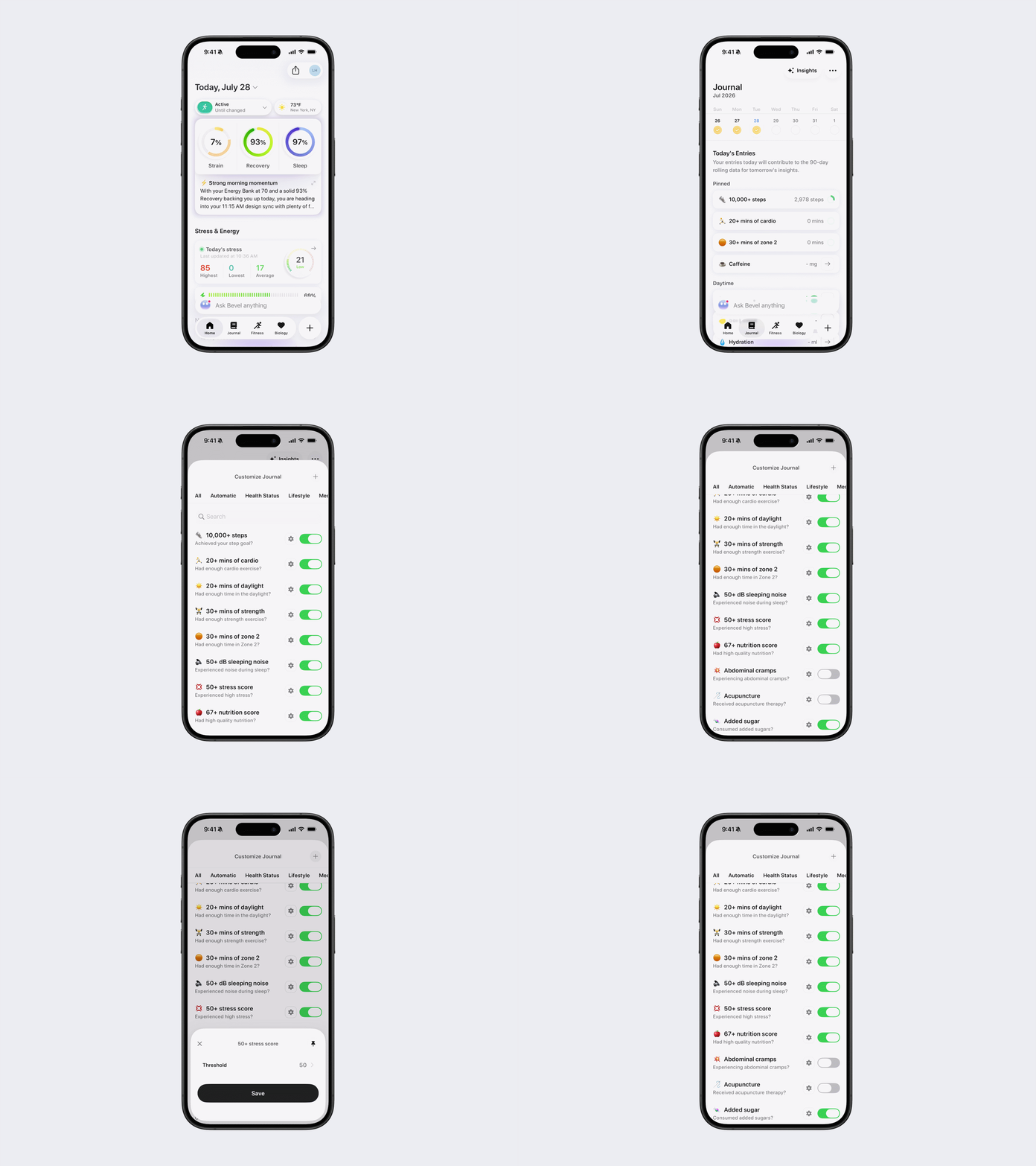
How to Pin Journal Tags
Pinned tags appear at the top of your daily Journal, making them easier to access.
Steps to Pin Journal
Option 1: Via Pinned Tags
Open Tryon AI.
Tap the Journal tab.
Tap the three dots (...) in the top-right corner.
Tap Pinned Tags.
Tap the Pin icon next to a tag.
A filled black pin indicates the tag is pinned.
Tap the pin again to unpin the tag.
Tap Save to apply your changes.
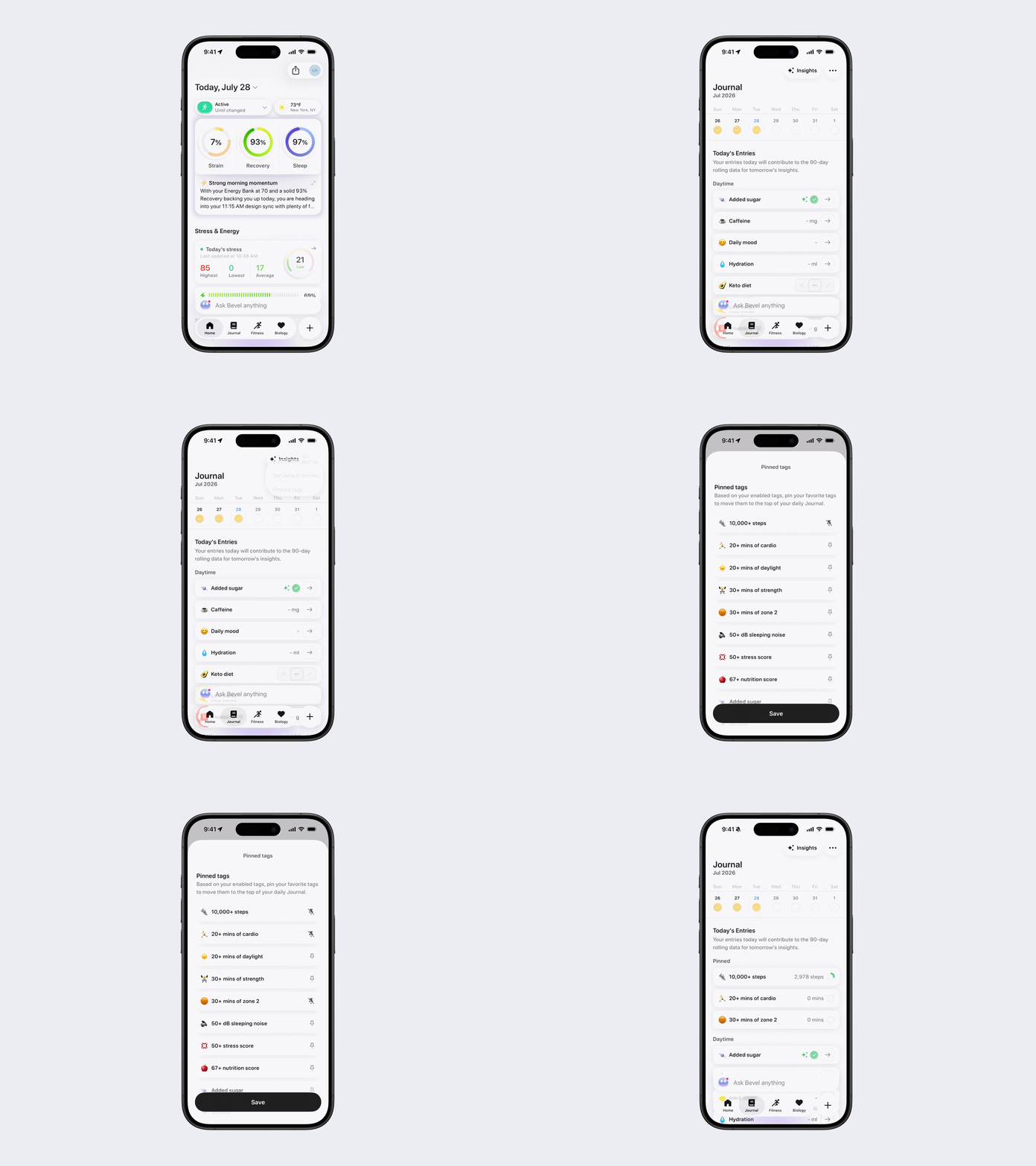
Option 2: From the Journal Tab
Open Tryon AI.
Tap the Journal tab.
Select the desired journal entry.
If available, tap the Settings icon in the top-right corner.
Tap the Pin icon.
Tap Save.
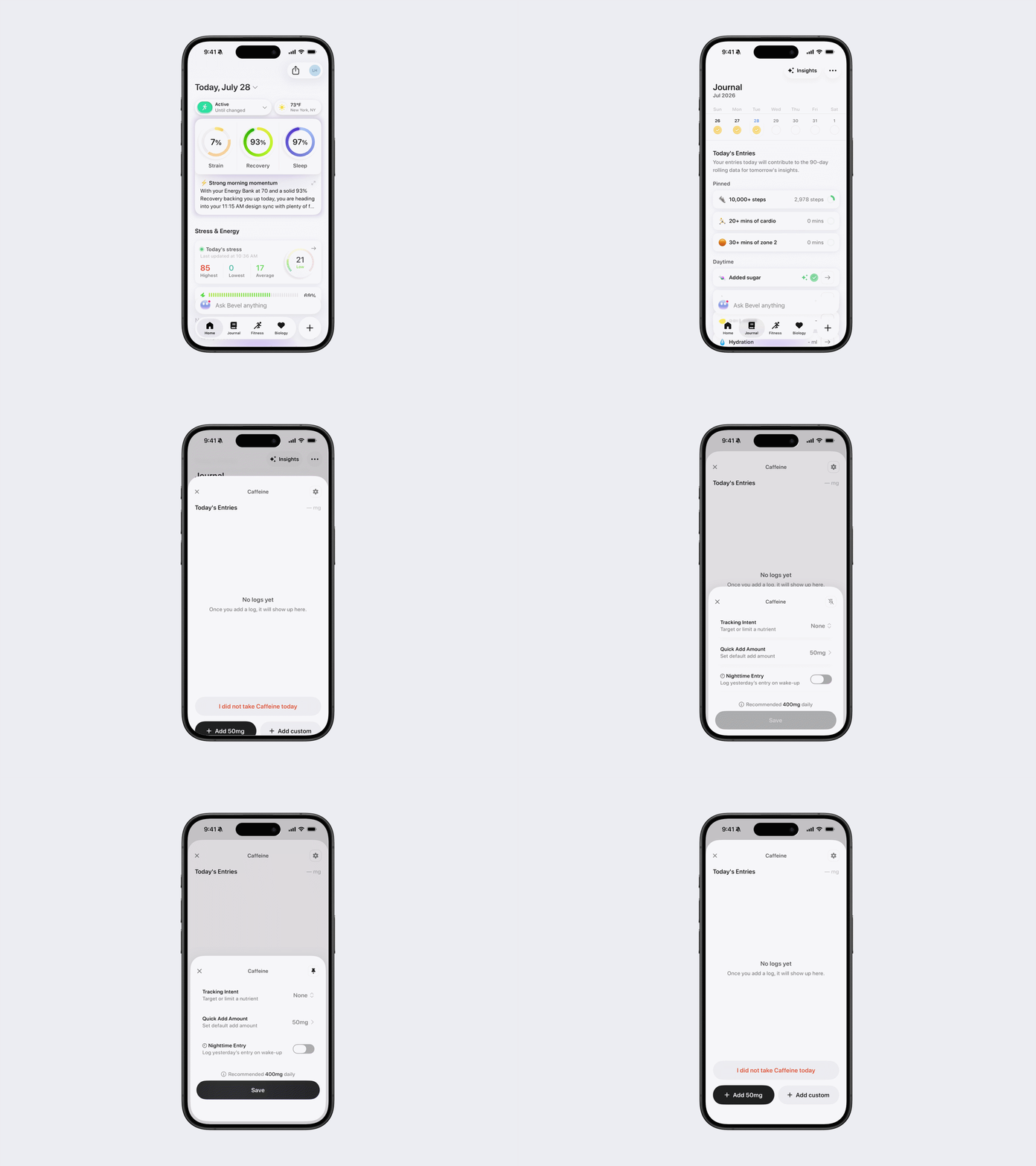
Option 3: Via Customize Journal
Open Tryon AI.
Tap the Journal tab.
Tap the three dots (...) in the top-right corner.
Select Customize Journal.
Tap the Settings icon next to the desired journal entry.
Tap the Pin icon.
Tap Save.